Your phone may last all day when it is new but struggle to reach evening after months of regular use. The screen, apps and mobile network all consume power, yet battery wear can also play a part. Without useful data, it is difficult to tell whether your phone is losing charge because of heavy usage or because its battery has gradually lost capacity.
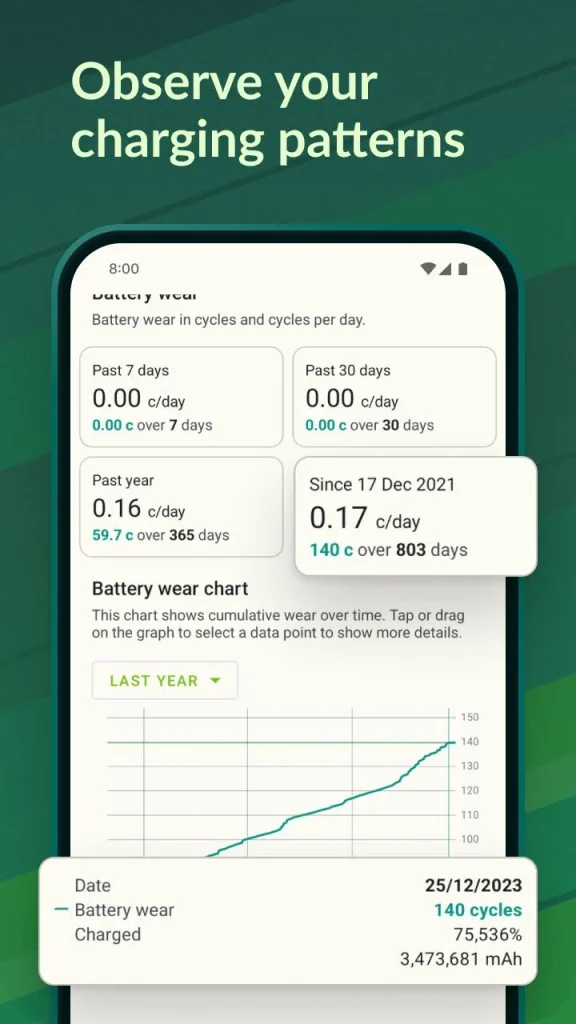
The AccuBattery Pro APK helps Android users understand these changes by recording battery activity, estimating remaining capacity and showing how charging habits relate to battery wear. Instead of relying only on the percentage displayed in the status bar, you can use its measurements to make more informed decisions about everyday charging.
What makes AccuBattery useful for everyday phone owners?
AccuBattery focuses on information that standard Android battery settings may not explain in much detail. It monitors charging and discharging activity, estimates battery capacity and tracks how quickly power is consumed under different conditions.
This information is particularly helpful if you are deciding whether your phone needs a new battery or simply requires changes to its usage habits. Someone who plays games for several hours might see rapid battery drain because demanding apps consume more power. A person who mainly sends messages and browses websites may want to investigate why their battery percentage falls quickly during lighter use.
The app helps you examine these patterns rather than immediately assuming that the battery is damaged. However, its estimates are not a substitute for a professional battery diagnostic or manufacturer service tools.
Understanding the battery health estimate
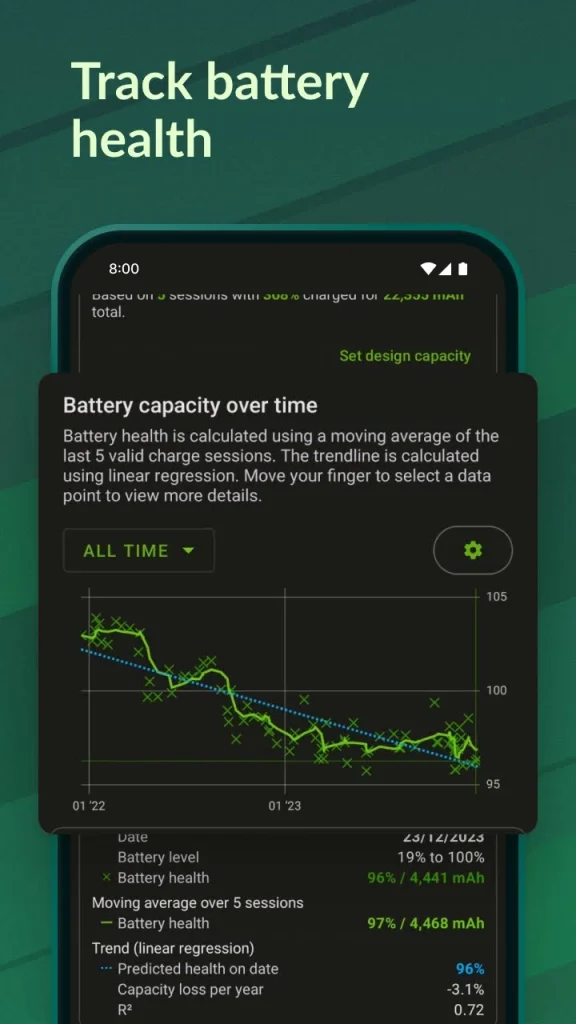
One of the main reasons people install AccuBattery is to check battery health. The app estimates the battery’s current capacity and compares it with the design capacity specified for the device.
Imagine a phone originally designed with a 5,000 mAh battery. If AccuBattery estimates that the battery can currently hold around 4,300 mAh, the displayed health estimate would be approximately 86% of its design capacity. These figures are illustrative, not a measurement of any particular phone.
Battery capacity naturally decreases as a lithium-ion battery ages. Heat, charging patterns, usage intensity and time can all influence this process. A lower capacity estimate may explain why your phone no longer lasts as long between charges.
There is an important limitation: AccuBattery cannot directly measure the battery’s full physical capacity in every charging session. Its estimate develops from recorded charging data and may fluctuate as more information becomes available. Allowing the app to collect data across several charging sessions usually provides a more useful picture than judging battery health from a single reading.
Charging habits and the 80% charging limit
Keeping a battery healthy is not simply about avoiding overnight charging. Temperature, time spent at high charge levels and repeated charging patterns also matter.
AccuBattery includes charging information and, on supported configurations, can notify you when your battery reaches a selected percentage. Some users choose an 80% charging target because avoiding a full charge can reduce battery stress under certain conditions.
This does not mean that charging to 100% is automatically harmful. A full charge can be perfectly reasonable when you need the phone to last through a long day. A lower charging limit is most useful when your normal routine leaves you with enough power to spare. To use charging alerts effectively:
- Open the app and locate its charging section.
- Choose a charging target that fits your daily needs.
- Allow the required notifications so the app can alert you.
- Disconnect the charger when convenient after receiving the notification.
The alert does not necessarily stop charging automatically. AccuBattery generally monitors and notifies rather than controlling the phone’s charging hardware. Some devices have their own built-in charging limits, which may offer more direct control.
Checking screen-on time and battery consumption
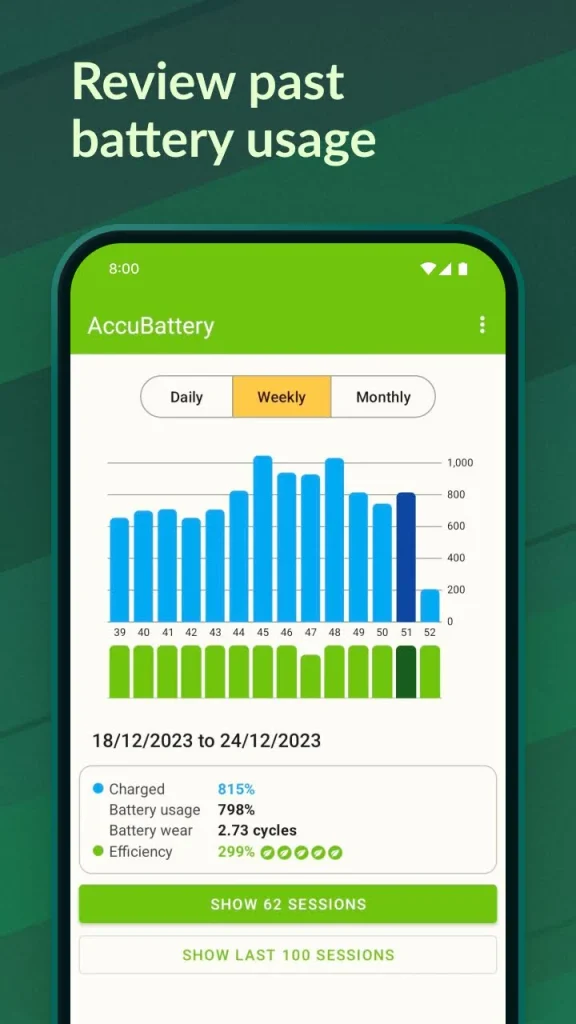
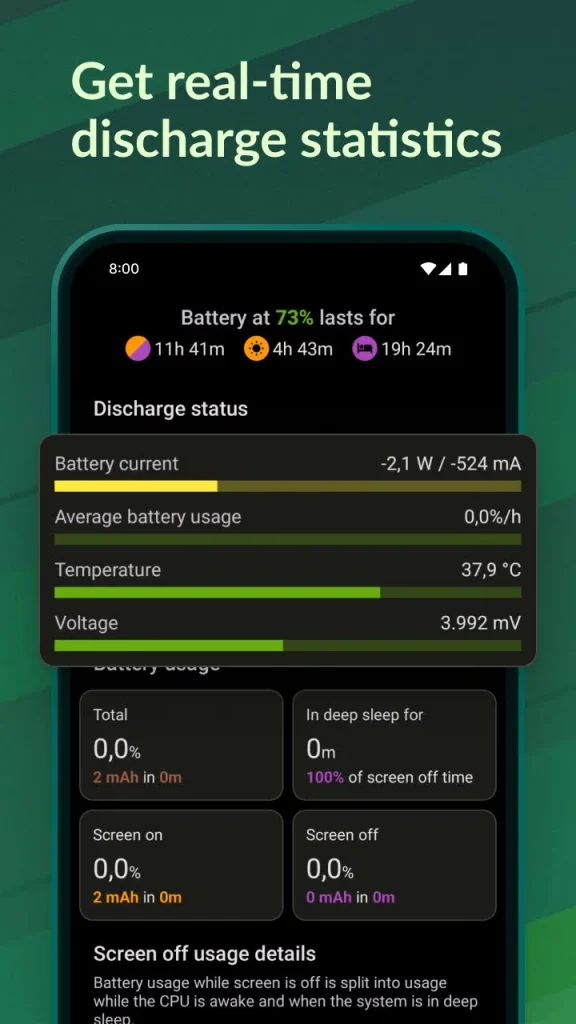
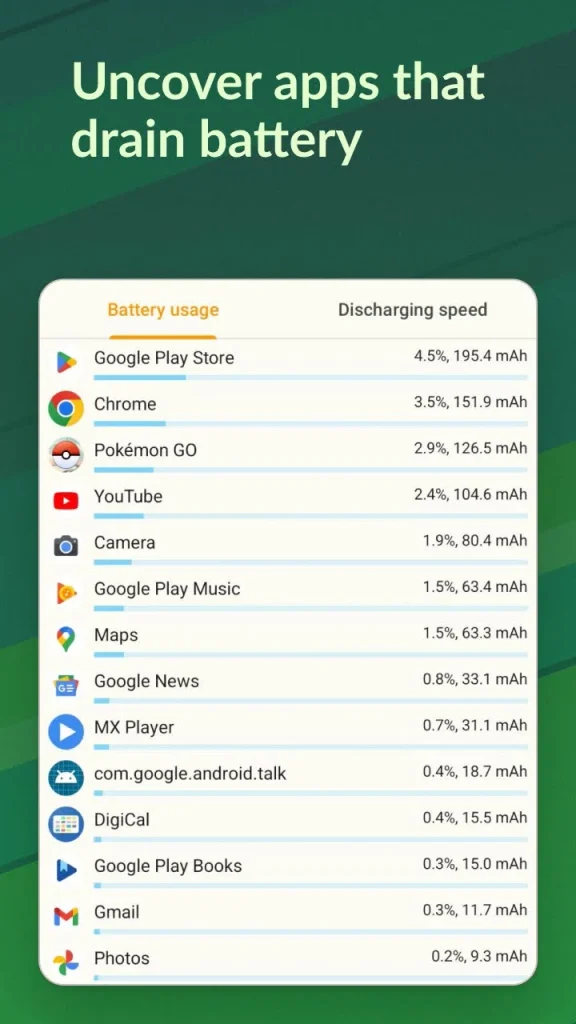
A battery percentage alone cannot explain how efficiently your phone uses power. AccuBattery Pro APK provides information about charging and discharging rates, screen-on usage and screen-off consumption, helping you identify situations where energy use changes.
Suppose your phone loses a noticeable amount of charge overnight while you are not using it. Background activity, poor mobile signal, location services or an app repeatedly running in the background could contribute to the drain. Battery monitoring can help you spot the pattern, although you may need Android’s built-in battery usage screen to identify the specific app responsible.
Screen-on time is another useful measurement. If your phone lasts only a few hours during gaming but considerably longer during reading, that difference does not necessarily indicate a battery fault. Games, video recording, navigation and high screen brightness can demand much more power than simple tasks.
Compare similar days rather than drawing conclusions from isolated sessions. Network conditions, screen brightness, temperature and the apps you use can change the results considerably.
Does AccuBattery affect battery life or performance?
Battery monitoring requires some background activity, so the app itself may use a small amount of power. Its impact depends on the device, Android version, permissions and how frequently the app collects information.
On phones with aggressive background restrictions, some measurements or notifications may be delayed. Allowing appropriate background operation can improve monitoring consistency, but unrestricted background access is not always necessary.
AccuBattery also cannot repair a worn battery, increase its original physical capacity or guarantee a longer lifespan through software alone. Its main value is helping you understand charging and power consumption so you can make practical adjustments.
If your phone becomes unusually hot, shuts down unexpectedly or loses charge very quickly even when idle, check the manufacturer’s battery diagnostics where available. Persistent overheating, swelling or physical damage calls for professional attention rather than further app-based testing.
Free and paid features: What should you consider?
AccuBattery offers a free version with core battery monitoring features and a paid Pro version with additional functionality. The exact feature set and purchase terms may change with app updates and regional availability.
For most first-time users, the free version is a sensible starting point. It can help establish a baseline for battery capacity estimates, charging sessions and energy consumption before you decide whether extra features are worth paying for.
Consider the paid version if you regularly use battery data and want the additional features currently listed in your app store. Check the latest Google Play listing for the available tools, pricing and purchase conditions rather than relying on an older review. You can also download Bluetooth Keyboard And Mouse Mod APK.
Getting more reliable results from AccuBattery Pro APK
A few simple habits can make the app’s information easier to interpret. First, let it record multiple charging sessions instead of expecting an accurate battery health assessment immediately after installation. Second, avoid comparing measurements taken under very different conditions, such as a cool morning charge and a hot gaming session.
Keep the phone away from excessive heat during charging. You do not need to obsess over every percentage point or interrupt your routine to maintain an ideal number. A charging target that fits your schedule is more practical than repeatedly checking the app throughout the day.
Finally, compare AccuBattery’s estimates with your actual experience. If the estimated capacity remains stable but battery life suddenly deteriorates, investigate software updates, background apps and network conditions. If both the estimates and real-world battery life decline over time, the battery itself may be approaching the point where replacement is worth considering.
For Android users who want more insight than a simple battery percentage provides, the AccuBattery app offers a practical way to observe charging behaviour and power consumption. Its estimates are most valuable when treated as trends rather than exact laboratory measurements. Start with the free version, collect data over time and use what you learn to make charging decisions that suit your phone and daily routine.


![Download Free Fire Proxy Server Pro APK for Android [Latest]](https://apkpure.co.in/wp-content/uploads/2026/07/Free-Fire-Proxy-Server-Pro-icon-96x96.webp)

